I've written some advice that almost every organization can take to decrease the risk of being attacked by malicious actors. Awareness is rising due the fact that multiple organizations are being breached at this moment.
In this article I'm focusing on Cloud Security technology which is quickly deployable and can leverage instant insights and metrics to make 'security' decisions. I'm always pushing for quick enrollment and activation because the threat is out there. If you don't believe it — don't activate anything and only watch the insights. You will be confident and get in control to make impactful security decisions.
A How to decrease the risk of an attack on your users
In this chapter I've brought infrastructure close to the user-risk. Accounts with passwords are a big risk which can be lowered by activation of the steps below. This activation can be done in 4 hours.
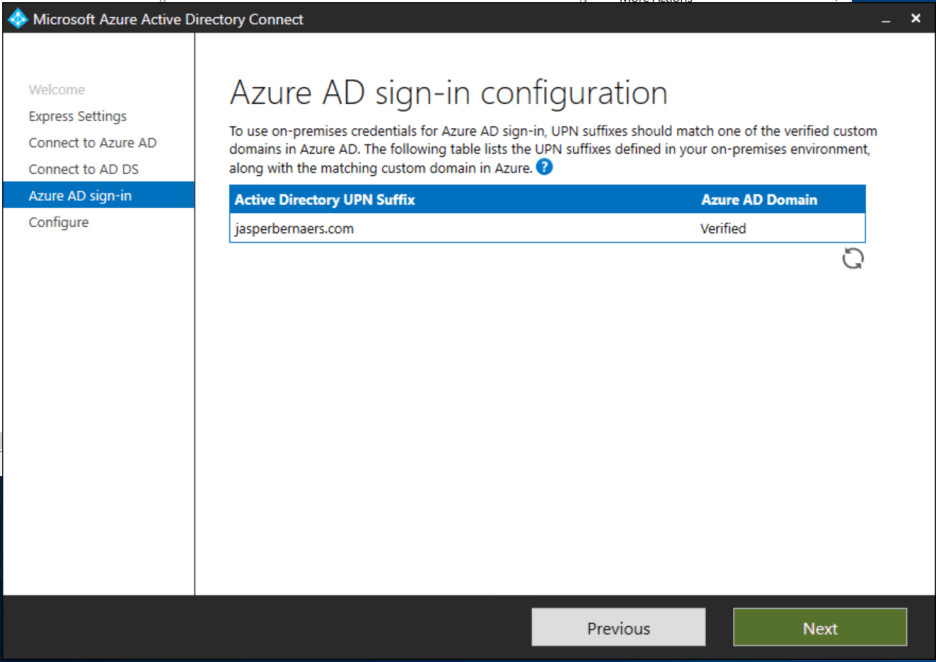
1. Extend Active Directory to Azure AD for better insights in user risk
Install Azure AD Connect and sync your users to Azure AD. You could use Directory and password Synchronization to bring all identities from your current environment towards Azure AD.
2. Prevent all Azure AD accounts from being phished by activating Multi-Factor Authentication
First of all accept the fact that every password in your organization has been leaked. Read: Your Pa$$word doesn't matter — Microsoft Tech Community.
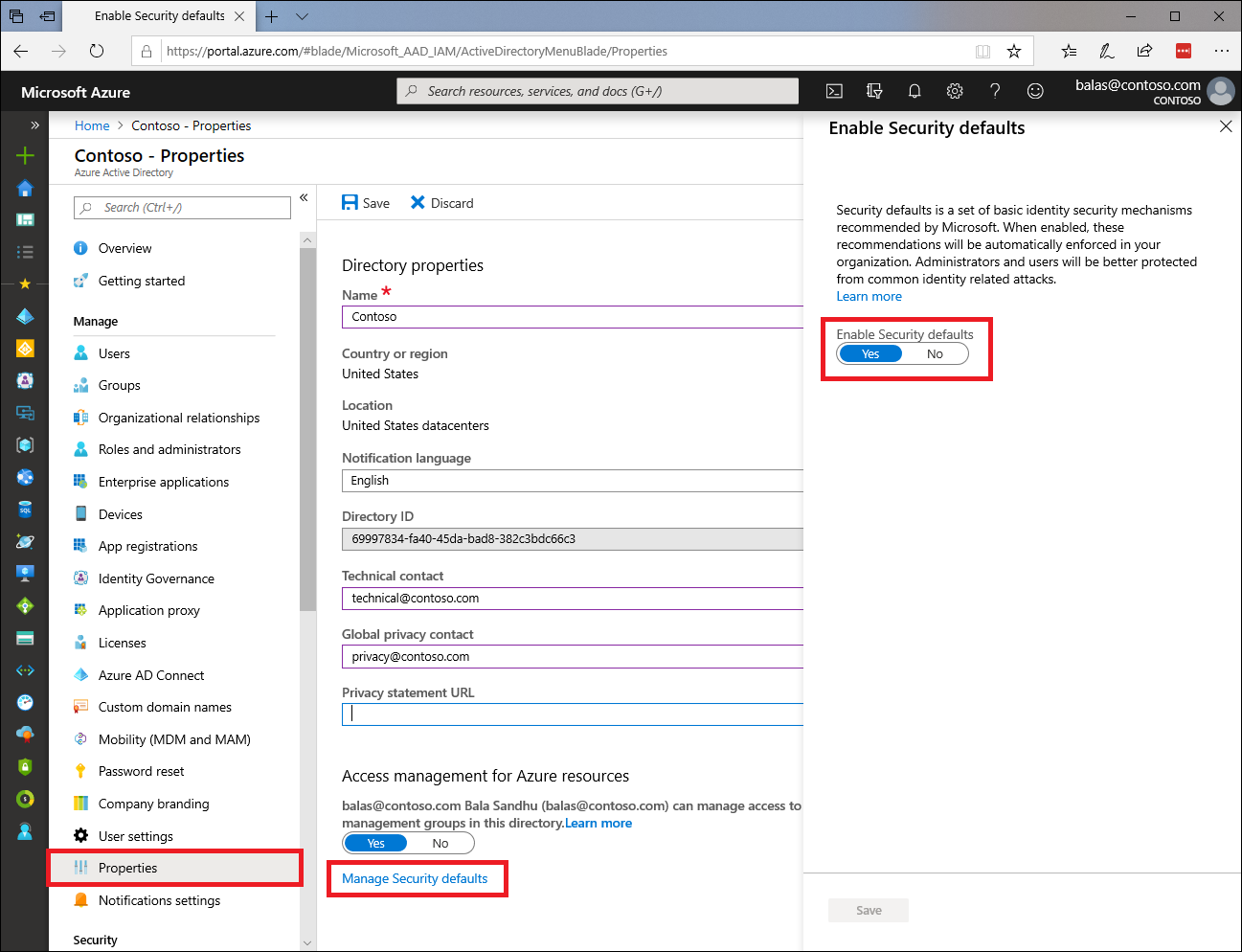
Security defaults will push MFA for every account and will disable legacy authentication that does not use MFA. Also don't forget to activate MFA for every company service.
To enable security defaults in your directory:
3. Understand the user and credential risks in your local domain
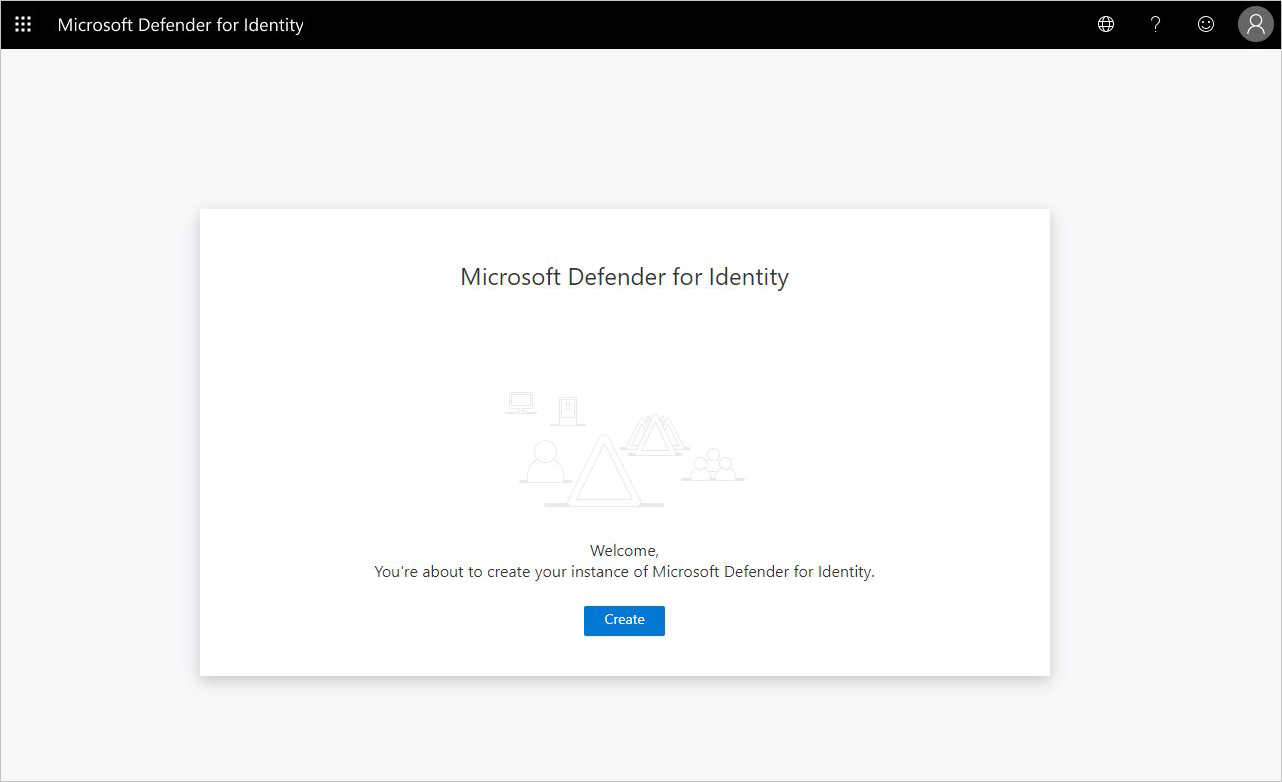
To understand the identity risk it's best to consolidate the risks from multiple fronts. Applications are using AD or Azure AD authentication which creates insights in an attack attempt. If you create a Defender for Identity instance, all user sign-ins are brought to the Cloud for analysis.
4. Activate a trial of Office 365 E5 to see identity risk consolidated from multiple fronts
When you have the capabilities to understand the identity risks and see what is going on in your organization you are more capable of acting and making decisions on additional levels — for example: creating an additional conditional access policy.
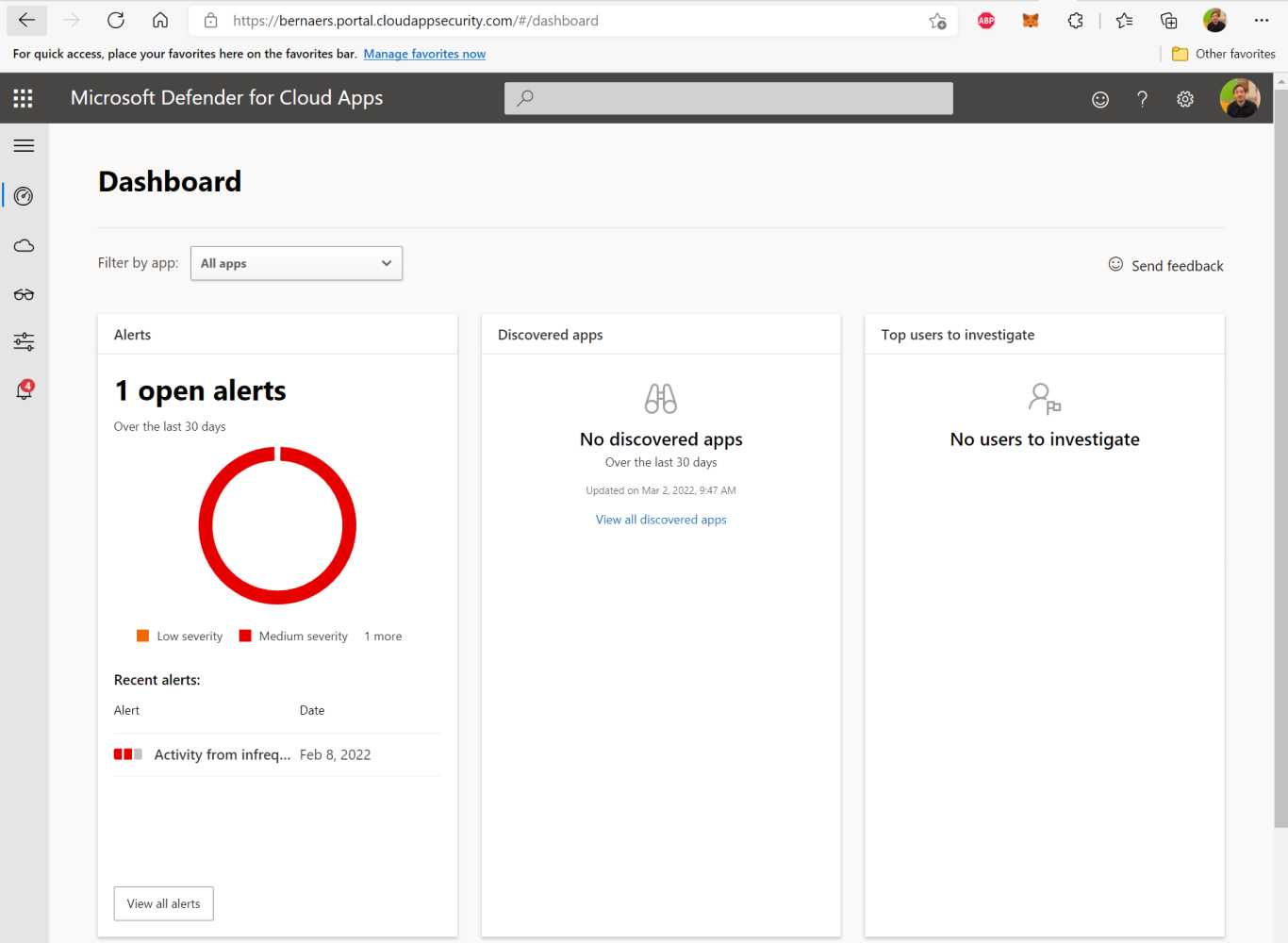
Then activate Cloud App Security (Defender for Cloud Apps).
Navigate to portal.cloudappsecurity.com and see the open alerts.
B How to protect your organization from software exploits
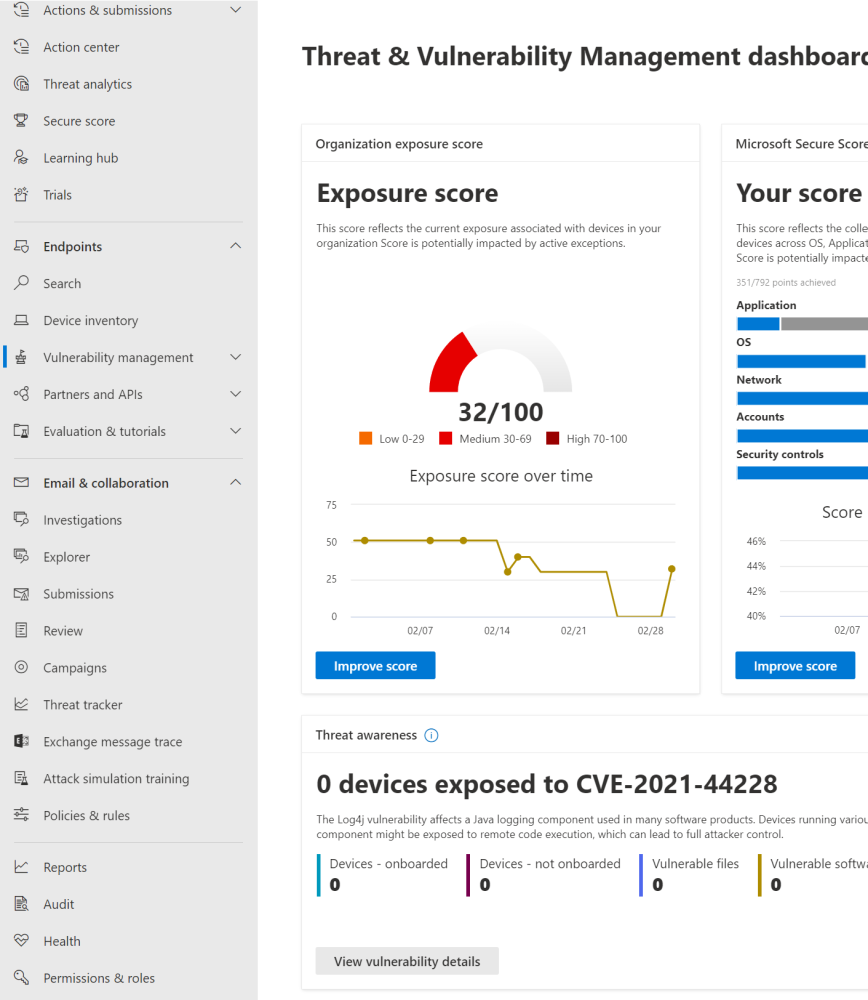
Software could contain malware packages which could take over computers. Badly patched computers are increasing the risk of being attacked from within.
If you have activated a demo E5 license you could understand the risk of bad patching of software from one portal. This activation is more complex and requires more attention and reaction but it's doable in some hours. Working on risks is another thing — but start doing and choose pragmatic.
C Protect your organization from targeted phishing attacks
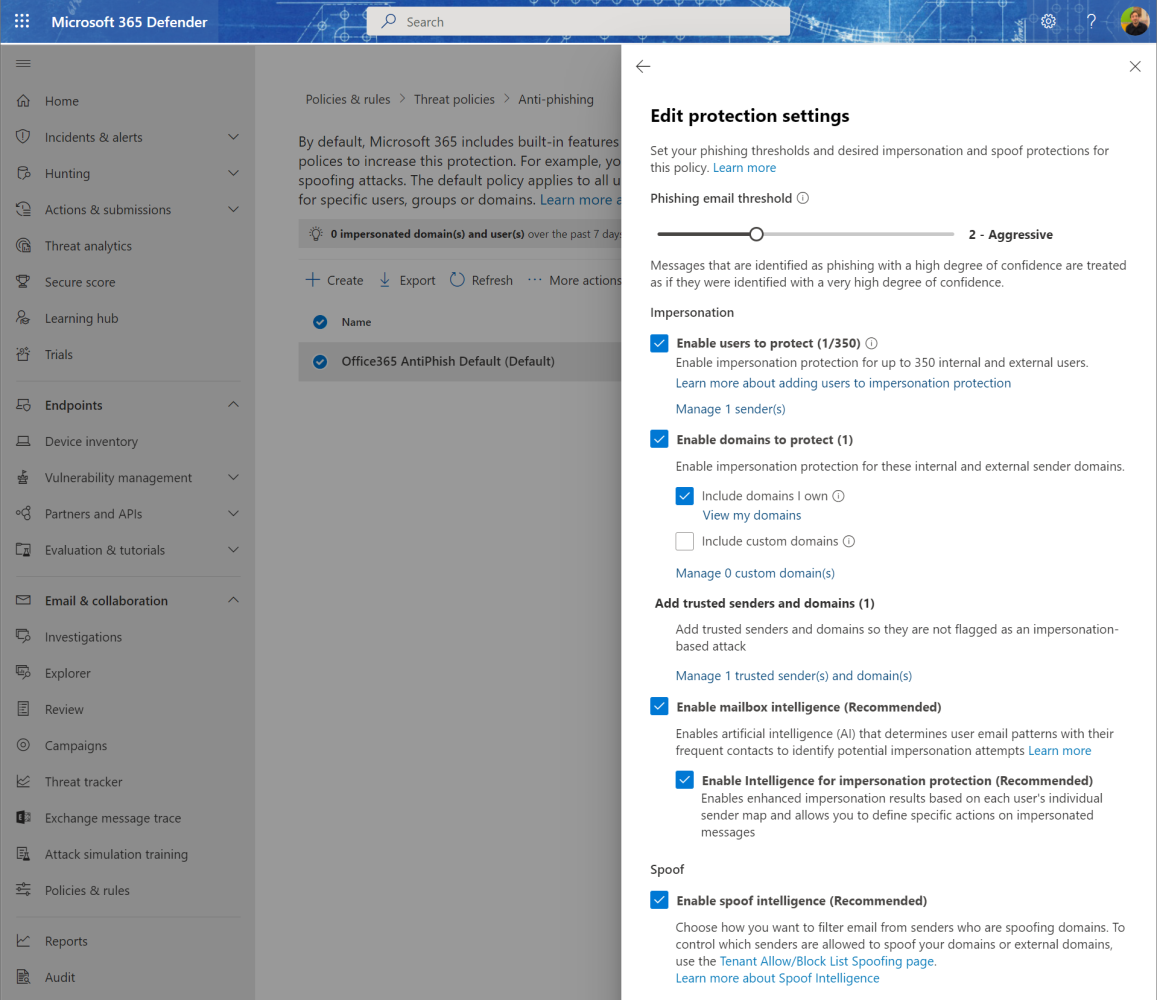
Phishing attacks are the number one attempt to get control of your organizational infrastructure. Don't let actors in from a stupid e-mail.
D Don't make exceptions and take insights seriously
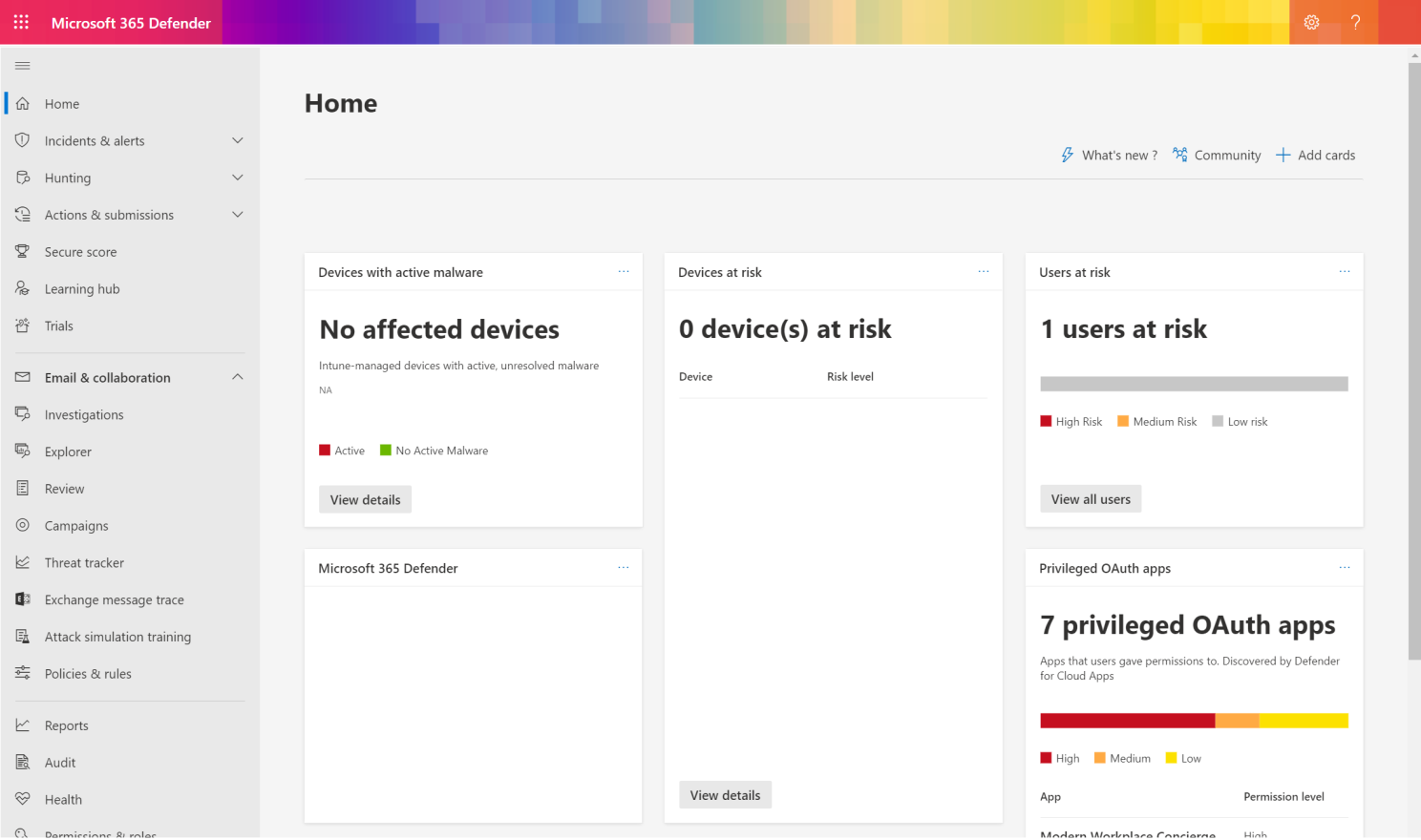
If you have activated some Microsoft 365 E5 capabilities you can now work on 2 portals to understand what is going on in your environment:
Take care and stay safe.
❯ Frequently Asked Questions
Frequently Asked Questions
How do I enable Azure AD security defaults?
Sign in to the Azure portal as a security administrator, Conditional Access administrator, or global administrator, browse to Azure Active Directory → Properties, select Manage security defaults, set the toggle to Yes, and select Save. Security defaults push MFA to every account and disable legacy authentication that doesn't support MFA.
Do I need Azure AD Connect if I'm already a Microsoft 365 customer?
No. If you're already a Microsoft 365 customer, your identities are already synced to Azure AD — you can skip directory sync and go straight to enabling security defaults and MFA.
Why does enabling MFA matter if my users already use strong passwords?
Because every password gets leaked eventually — internal phishing tests consistently show users entering their credentials. MFA is the control that keeps a leaked password from becoming a compromised account.
What does Microsoft Defender for Identity actually monitor?
It consolidates sign-in and credential activity from both on-premises Active Directory and Azure AD authentication into one cloud analysis pipeline, giving you a single place to see identity risk instead of piecing it together from multiple logs.
Do I need to buy Microsoft 365 E5 to try Defender for Identity and Defender for Cloud Apps?
No — activate a free 30-day Microsoft 365 E5 (or Microsoft Defender) trial first. That's enough to turn on Defender for Identity and Defender for Cloud Apps and start reviewing open alerts at portal.cloudappsecurity.com.
What's the difference between Defender for Identity, Defender for Endpoint, and Defender for Office 365?
Defender for Identity watches sign-ins and credentials, Defender for Endpoint watches devices — patching, vulnerabilities, malware — and Defender for Office 365 watches email and collaboration tools for phishing and malicious links or attachments. Together they cover the three biggest attack surfaces: identity, device, and inbox.
How do I start reducing risk from unpatched software?
Onboard your devices into Endpoint Manager — hybrid or cloud join both work for security purposes — activate Defender for Endpoint, then go to Vulnerability Management → Recommendations and work through the most critical items first: patch Windows and third-party apps.
Why are DKIM and SPF important if I already have a spam filter?
DKIM and SPF stop attackers from spoofing your domain in phishing emails sent to other people, not just filtering what lands in your own inbox. Combined with Defender for Office 365's anti-phishing policies, they close off the most common way attackers impersonate your organization.
How long does it actually take to implement these steps?
The user-risk chapter — Azure AD sync, security defaults, MFA, Defender for Identity — is deployable in about 4 hours. Endpoint patching and phishing protection take a bit more time and attention but are still doable in a matter of hours, not weeks.
Where do I monitor everything after turning these features on?
Two portals: security.microsoft.com for your unified security overview, and portal.cloudappsecurity.com for identity and cloud app alerts. Check both regularly rather than only reacting when something breaks.
Is this guide only relevant for large enterprises?
No — everything here is aimed at organizations without a dedicated security team. All of it runs on cloud-native Microsoft tooling with free trials, so a small IT team can deploy the same protections a large enterprise uses.
If I can only do one thing today, what should it be?
Turn on Azure AD security defaults and enforce MFA on every account. It's the single highest-impact, lowest-effort step — the large majority of compromised accounts had no MFA enabled.